Overview
This blog post will cover an in-depth look at my progress with “Rabbit Hop”, my 2D platform game, and all the steps I have taken to get to the stage I am currently at. As well as this I will also be talking about my future plans for this game (both long and short term) as I plan to push this game to its limits and achieve the best quality game that my abilities will allow me.
Game Play Video
Below is a video showing different features and Mechanics, I have included it as it demonstrates many of the subjects I will be mentioning in this blog post.
One feature which isn’t shown in my video, which I accidental dismissed, is the pause menu which I have created. I will make a blog post soon showing how the pause menu works and as people have been asking me how I have been doing it I may do a simple tutorial which people can follow, if they are interested.
Basic movement / Character Animation
The basic movement of my character is fairly simple, the character is scripted to face the way the player wants to face, by flipping the character in the X axis. The character has a fully working animation system (all made from scratch out of pixel art). Below is the only pixel art images that I required to make my character animate.
- All four for the run.
- The first one for the idle.
- The second one for the jump.

A fair few people actually asked me for advice on how to set up simple character animations like this, as the method we were told to do didn’t work for many people. There is a tutorial on how to do this on my blog post about character animation.
Moving Clouds
For the moving clouds it was actually fairly simply yet very effective in my opinion. I started by creating a nice sky blue background, and setting it as the back layer. I then created a cloud, on Adobe Photoshop, which I placed on the layer above and added a simple movement script to (with public speed and range variables). By having these variables I am able to create variety other than just the size of the clouds. Finally, I created a spawner script which would spawn the the prefabs clouds. I altered some speeds and rate of spawn on the clouds until I got a look I was happy with. The short clip below simply shows how I have implemented this cloud effect throughout my levels and even the main menu. Personally, I feel like it makes the game have more personality and I am very happy with the look it gives me.

Collectables (Carrots)
To add a more fun dynamic to my game I decided that I would add a score system so players have a goal to aim for and to beat. I was originally going to go with traditional coins, as I love traditional 2D platform games, however carrots made more sense with the style of the game, and the character choice. Each carrot the player collect will gain them 100 points which is displayed at the top of the screen. For the collectable I made a simple carrot sprite in Adobe Photoshop which I feel is effective as it easily stands out.
Main Menu
Personally, I feel like the main menu of a game is very important as it is not only the first thing the player ever sees once the game has loaded, but it is also how the player navigates between all the key scenes of the game (for example; starts levels, changes their settings, etc.). In my opinion my menu is fairly simple and could be improved, however it is fully functional, simple to navigate and most of all, fairly nice to look at (with the pleasant blue background with moving clouds). The small clip above highlighting the moving clouds also shows off the games main menu so I won’t bother repeating another short clip.
Enemies
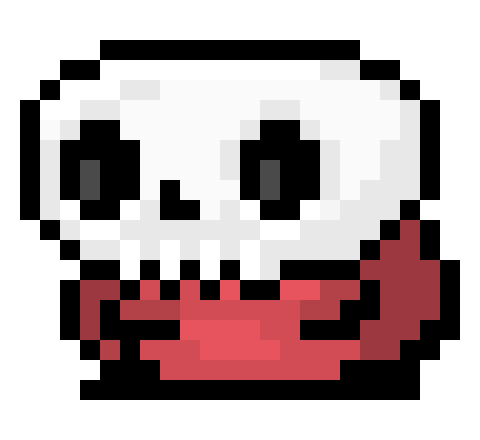
As of current there is only one enemy in the game which is featured in the game on level 2. However, more enemies will be getting introduced as the levels progress. Never mind that though because I am actually very proud with the achievement I have achieved personally when making the enemy in my game. I have set up the enemy so that if it hits the player direct on it will kill the player, however if you jump on the enemies head it will kill the enemy, product a particle effect and will eventually reward the player either with score or score and a power up. Below is the enemy currently in my game.
Particle Effects
As of current my game only has three particle effects in it, but I will be introducing many more as my game progresses, to “juice” it up more. The main particle effect in my game is the carrot particle effect which is triggered when the player collects any carrot in the game. I created this effect to give the player feedback (other than +100 score) when the player collects a carrot. Personally, I am happy with how this particle effect benefits the game, but I do want to improve this effect, possibly with the help of Gary.
Other particle effects which I use are for the lava and for when a player kills and enemy. I created the lava particle effect to make the game more lively and interactive, as well as hinting to the player that the lava is likely dangerous. To add to this I plan on animating the lava with a simple, subtle animation to make the game more interactive. Finally, the last particle effect which I current have in my game is a very basic particle effect which is triggered when a player kills and enemy, this is done in order to give the player some feedback so that they are aware that they killed the enemy and that it is a positive thing.
Game Future Plans
- Improve main menu
- Add more enemies
- Add health (hearts)
- Add power ups
- Add more particle effects (when running/finishing level)
- Add sound effects (killing enemy, dying, completing level, collecting items)
Game Background / Dedication
This game is a compilation of many ideas, I have had for a long while now, which have came together quite nicely (in my opinion). I have always enjoyed 2D platform games and have actually made a 2.5D game (Acclimatised) before making this game. I did enjoy making Acclimatised, and Josh, Liam and I do plan on working on it more in the future (when we have more free time). However, I have far more enjoy making “Rabbit Hop” as it is a game I have had the ideas of making for a while, but haven’t known how to make until recently. I am completely enjoying my experiences making it and I find myself learning more and more new skills and tricks. “Rabbit Hop” is actually dedicated to my girlfriend Charlotte as we came up with the rough idea of the game together and I have begun creating it. Once the backstory / dialog of the game begins to be added it will start to elude to this and the main character will also be name Charlotte.








 Bailey Brian